Skills & Documents
Claude Skills & Templates
Now that you are connected, set up your skills to enable the full workflow.
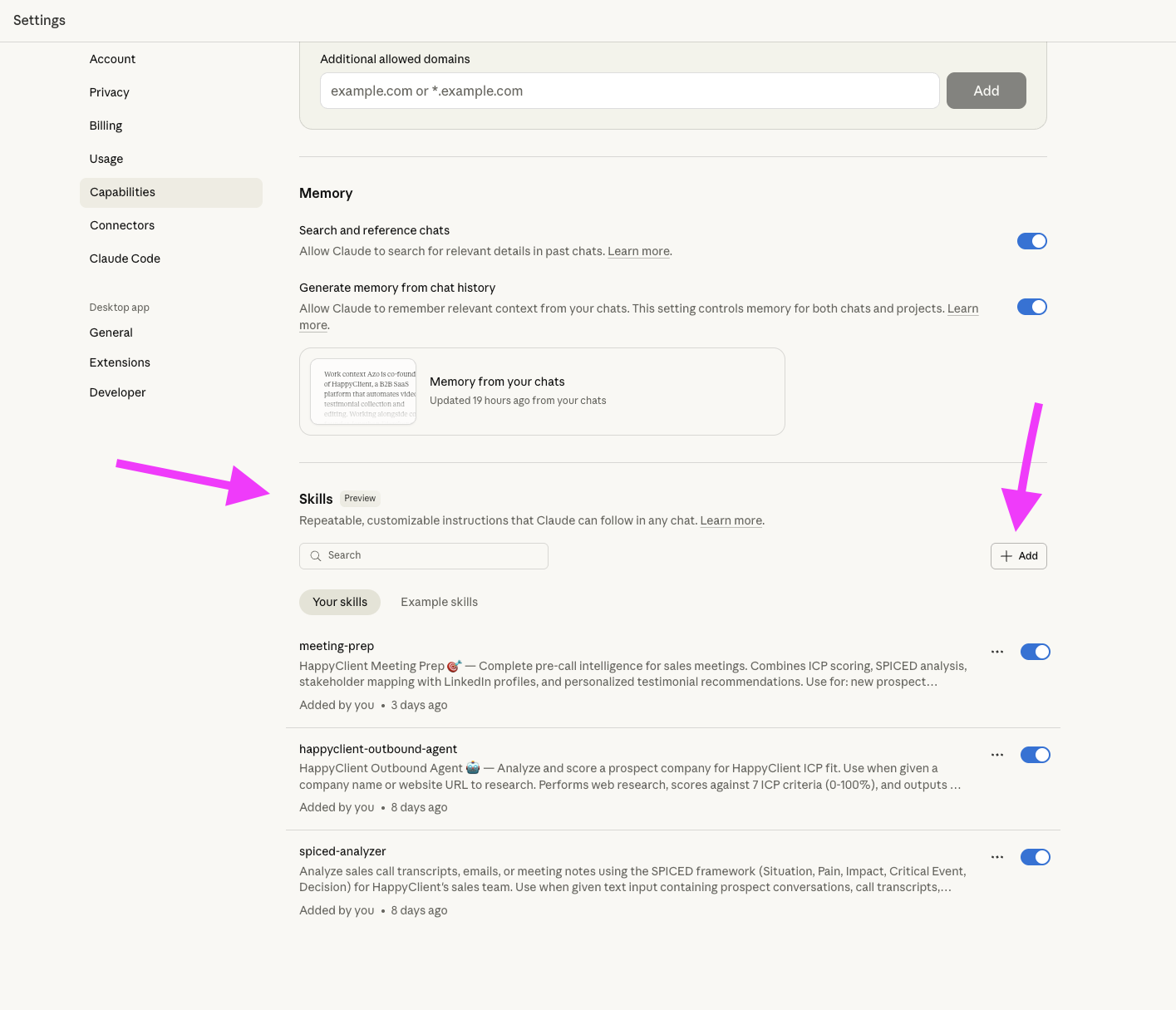
Where to Add Your Skills in Claude Desktop?
Go to Settings > Capabilities > Skills, then click "+ Add" to create a new skill
Now that you are connected, set up your skills to enable the full workflow.
Go to Settings > Capabilities > Skills, then click "+ Add" to create a new skill